Java Logging Configuration Guide
Overview
Logging is a critical part of any production-ready application. It provides visibility into what your code is doing, helps diagnose issues in the field, and supports audits and monitoring. Java offers several logging options, including the built-in java.util.logging (JUL) API and popular third-party frameworks.
This documentation focuses on configuring logging using the standard library, while outlining patterns that also apply when using facades such as SLF4J with Logback or Log4j.
When to Use It
You should configure logging early in your project when you need to:
- Record application events for debugging and support
- Control log verbosity across different environments
- Direct logs to files, the console, or remote systems
- Comply with operational or regulatory requirements for audit trails
How It Works
In java.util.logging, loggers produce log records, handlers publish them to destinations, and formatters control how records are rendered. The logging configuration determines logger names, levels, handlers, and formatting.
By default, the root logger sends messages of level INFO and above to the console. You can override this behavior by providing a configuration file or programmatically adjusting the logging setup at application startup.
Parameters or Options
A typical JUL configuration file (often named logging.properties) defines settings such as:
- .level: The default log level for the root logger
- handlers: Which handler classes are active (for example,
ConsoleHandlerorFileHandler) - Handler-specific levels: Allowing more detailed output for certain destinations
- Logger-specific levels: Overriding the level for particular packages or classes
Example Usage
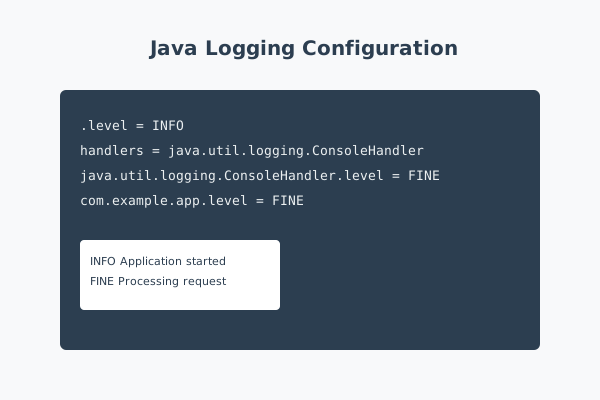
Here is a simple logging.properties configuration that enables fine-grained logging to the console:
.level = INFO
handlers = java.util.logging.ConsoleHandler
java.util.logging.ConsoleHandler.level = FINE
com.example.app.level = FINE
In your application code, you can obtain a logger and write messages:
private static final Logger LOGGER =
    Logger.getLogger("com.example.app.Main");

LOGGER.info("Application started");
LOGGER.fine("Processing request " + requestId);
When the configuration file is on the classpath or specified with the -Djava.util.logging.config.file system property, the runtime applies these settings at startup.
Common Pitfalls
A common mistake is logging too little or too much. If you log only errors, you may lack context when diagnosing issues. If you log excessively at DEBUG or FINE levels in production, you can degrade performance and overwhelm log storage.
Another pitfall is logging sensitive information such as passwords, tokens, or personal data. Logs are often widely accessible; treat them as another channel that must respect privacy and security requirements.
Developers sometimes misconfigure handler levels, assuming a logger level alone controls output. In JUL, both the logger and the handler levels must allow a message through; a restrictive handler level can hide messages even when the logger is more permissive.
Best Practices
Use clear, structured log messages that include identifiers such as request IDs or user IDs where appropriate. This makes it easier to correlate events when investigating incidents.
Adopt a consistent logging policy: use INFO for high-level lifecycle events, DEBUG or FINE for detailed internal behavior, WARN for unexpected but recoverable situations, and ERROR or SEVERE for failures that need attention.
In multi-threaded or distributed systems, consider using structured logging formats like JSON to integrate more easily with log aggregation and search tools.
Conclusion
A well-designed logging configuration turns raw events into actionable insight. By understanding how Java logging works and configuring levels, handlers, and formats thoughtfully, you enable faster debugging, better monitoring, and more reliable operations.
As your application grows, revisit your logging strategy regularly to ensure it continues to provide the right balance of detail, performance, and security.