How to Handle Exceptions in Java
Introduction
Exceptions represent unexpected conditions that disrupt the normal flow of a Java program. Proper exception handling is essential for building robust applications that fail gracefully instead of crashing with obscure stack traces.
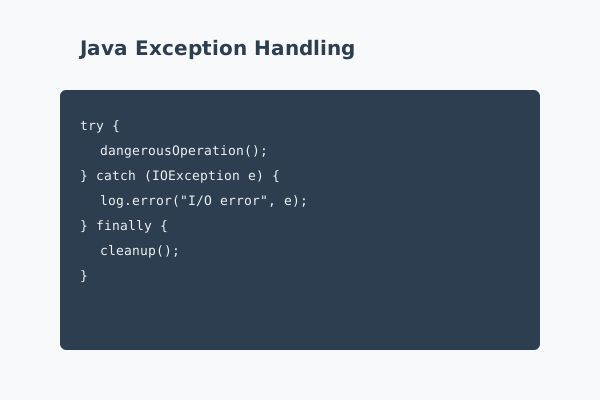
Java provides a structured mechanism for dealing with exceptional situations using try, catch, finally, and throw. Understanding how and when to use these constructs allows you to surface meaningful error messages, release resources reliably, and keep your code readable.
Who This Guide Is For
This tutorial is designed for developers who know basic Java syntax but want to improve the reliability of their code. It is particularly useful if you:
- Have seen stack traces but are unsure how to interpret or prevent them
- Want to design APIs that communicate errors clearly
- Need to integrate with libraries that throw checked exceptions
Prerequisites
You should be comfortable writing simple Java classes and methods, and you should have a way to compile and run Java programs as described in the previous tutorials.
Step-by-Step Instructions
Step 1: Understand Checked and Unchecked Exceptions
Java distinguishes between checked exceptions (subclasses of Exception excluding RuntimeException) and unchecked exceptions (subclasses of RuntimeException and Error). Checked exceptions must be declared or handled, while unchecked exceptions can propagate without explicit declarations.
Use checked exceptions when callers are expected to recover from the condition, such as I/O errors. Use unchecked exceptions for programming errors such as illegal arguments or inconsistent state.
Step 2: Use Try-Catch Blocks Effectively
Wrap code that may throw exceptions in a try block, followed by one or more catch blocks. Always catch the most specific exception types you can handle meaningfully. For example:
try {
    Files.readAllLines(path);
} catch (IOException e) {
    logger.error("Failed to read file " + path, e);
}
Avoid catching overly broad types like Exception unless you have a strong reason, such as a top-level error handler.
Step 3: Use Finally or Try-With-Resources for Cleanup
Resources such as streams or database connections must be closed even when errors occur. Historically, this was done with a finally block. Since Java 7, the preferred pattern is try-with-resources:
try (BufferedReader reader = Files.newBufferedReader(path)) {
    return reader.readLine();
} catch (IOException e) {
    logger.error("I/O error", e);
    return null;
}
The resource is closed automatically, regardless of whether an exception is thrown.
Step 4: Throw and Propagate Exceptions Appropriately
When your method cannot handle an exceptional condition meaningfully, let the caller handle it. For checked exceptions, declare them in the method signature:
public String loadConfig(Path path) throws IOException { ... }
For unchecked exceptions, you can throw them without declaring them, but document this behavior so callers know what to expect.
Step 5: Create Custom Exception Types
If a generic exception type does not convey enough meaning, define a custom exception. Extend Exception for checked exceptions or RuntimeException for unchecked ones:
public class InvalidOrderException extends RuntimeException {
    public InvalidOrderException(String message) {
        super(message);
    }
}
Custom exceptions make it easier to catch and handle specific scenarios and improve the clarity of error logs.
Common Mistakes and How to Avoid Them
A common anti-pattern is catching exceptions and ignoring them. Empty catch blocks hide problems and make debugging extremely difficult. At minimum, log the exception with enough context to understand what failed.
Another mistake is using exceptions for normal control flow, such as relying on NumberFormatException for input validation. Exceptions are relatively expensive and should represent truly exceptional conditions; use regular condition checks for expected scenarios.
Finally, avoid wrapping every call in a try-catch that simply prints the stack trace. Centralize error handling where possible and consider how errors should be communicated to users or calling services.
Practical Example or Use Case
Consider a service that processes customer orders from a file. When parsing each line, several things can go wrong: the file might be missing, the format might be invalid, or the database might be unavailable. By designing custom exceptions like InvalidOrderException and OrderPersistenceException, you can log meaningful messages and decide whether to skip bad records, retry operations, or abort processing.
At the outermost layer of your application, a global error handler can catch unexpected exceptions, log them, and return a user-friendly message or HTTP error response instead of exposing raw stack traces.
Summary
Exception handling in Java is more than just surrounding code with try-catch. It involves choosing between checked and unchecked exceptions, cleaning up resources reliably, designing custom exception types, and deciding where errors should be handled versus propagated.
By following the practices in this tutorial, you can make your Java applications more predictable, easier to debug, and more resilient to failures in external systems.